2026-11-16 update: v1.0.2 changes inventory handling
Version 1.0.2 adds quick liquid transfer by shift-dragging containers and automatic handling for the materials pouch. It allows containers to be opened in the trader interface and adds a toggle for bottom-layer movement reduction. It also fixes quick transfer dropping an empty bag and prevents opening the crafting menu in the trader interface. Check the context before assuming a missing menu or item is a new survival mechanic.
For a transfer problem, note the source container, destination and which interface was open. Repeat a small transfer before moving a valuable stockpile. A control or inventory fix does not establish new item yields or prove that demo saves migrate to the full game; those questions still need their own evidence. This guide remains a source-checked checklist rather than a tested survival route.
- Check the modifier key and both containers when trying the new liquid-transfer action.
- Keep trader interactions separate from crafting-menu instructions.
- Confirm a small transfer completed correctly before reorganizing a large inventory.
Source: Version 1.0.2 Patch Notes
The full game is still upcoming
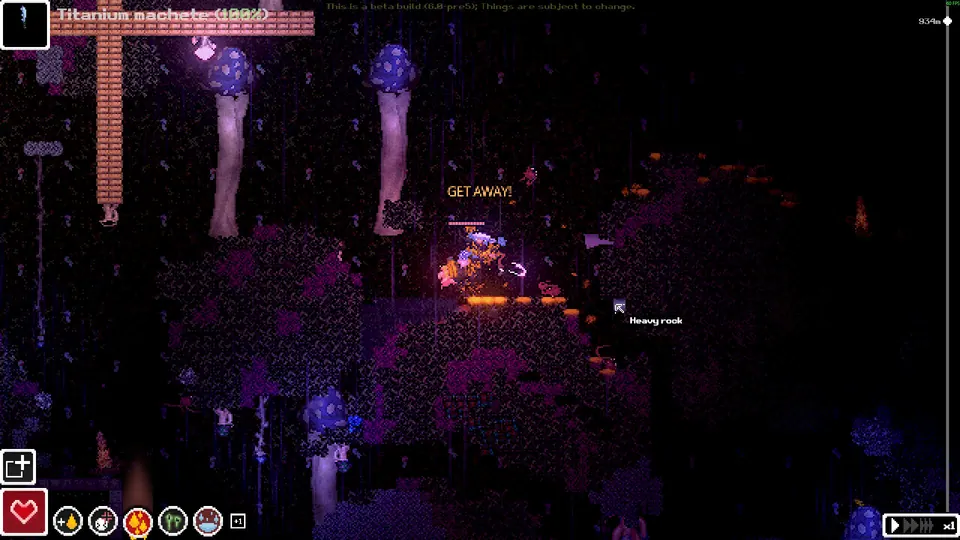
On November 1, Steam lists the full Casualties: Unknown for November 9, 2026 and offers a separate demo. Orsoniks describes an alien-cave survival game with simulated limb and cardiovascular damage, crafting and hazards across distinct layers. Start by checking whether you launched the Steam demo or an older prototype.
Source: Main game listing and demo link
Do not use the full-game feature list as a demo checklist
The main listing advertises eleven layers and three characters. Those are full-product descriptions, not proof that the demo contains all of them. The developer’s earlier Steam-demo notice also distinguishes the Steam build from the older itch.io download. It does not prove save transfer between versions.
Source: Full-game features · Orsoniks · Steam demo notice
A first-descent learning plan
The official description makes wounds, infection and blood loss part of the simulation. This checklist does not prescribe an unverified treatment sequence or promise that a particular item will save a run.
- Write down the build or version shown by the game before using a guide.
- Learn where the game reports injury, bleeding and other conditions before committing to an unfamiliar route.
- Read the available crafting and item descriptions; do not guess a recipe from an older prototype video.
- When a run fails, record the last condition change and the action immediately before it.
- On the next attempt, change one decision so you can tell whether it improved the result.
Source: Published survival systems
A compact run log
| Record | Why it helps |
|---|---|
| Build and character | Separates version differences from a tactic that failed. |
| Last known safe position | Gives you a point from which to compare your next route. |
| New condition and preceding action | Helps identify what you still need to understand. |
| One proposed change | Avoids changing equipment, route and timing all at once. |
Before the full release
Keep your demo notes useful by labeling them with the demo version. Recheck the final product’s release information and save guidance when it unlocks rather than assuming that prototype progression or every advertised feature carries over unchanged.
Continue with this game
Sources & scope
This article uses the official and individually identified community references linked below. It is not a hands-on review. Screenshots are credited to their original publishers; they are not evidence that we tested these steps. Game details can change after publication.
- Orsoniks / Oro Interactive · official Steam overview
- Orsoniks · Steam demo release notice
- Version 1.0.2 Patch Notes
Sources checked: 16 Nov 2026. Read how we use sources and AI assistance.