2026-11-16 update: v1.012 changes queues, but resting still does not save
Update 1.012 lets the PR machine queue both Hypnodevices and newspapers, but loading still has to happen on the correct day. Quality-point upgrades can be made on any day. The patch also fixes zombie queues stalling when the first recipe lacks an ingredient, stalls after queue edits and a supply-carrier problem. Check the queue and its ingredients before concluding a workstation move broke production.
Campfire benches now restore energy and pass time, but they do not save the game or clear insanity or lack of sleep. That distinction matters before ending a session: visible energy recovery is not a save confirmation. The earlier 1.011 workstation notes below remain version-specific context; we have not tested throughput or a recovered queue.
- Inspect the first queued recipe and available ingredients, then recheck after updating.
- Queue PR-machine work freely, but plan loading for the correct day.
- Use the game’s actual save procedure before quitting; resting at the campfire is not a substitute.
Source: Update 1.012
You can now move a placed object
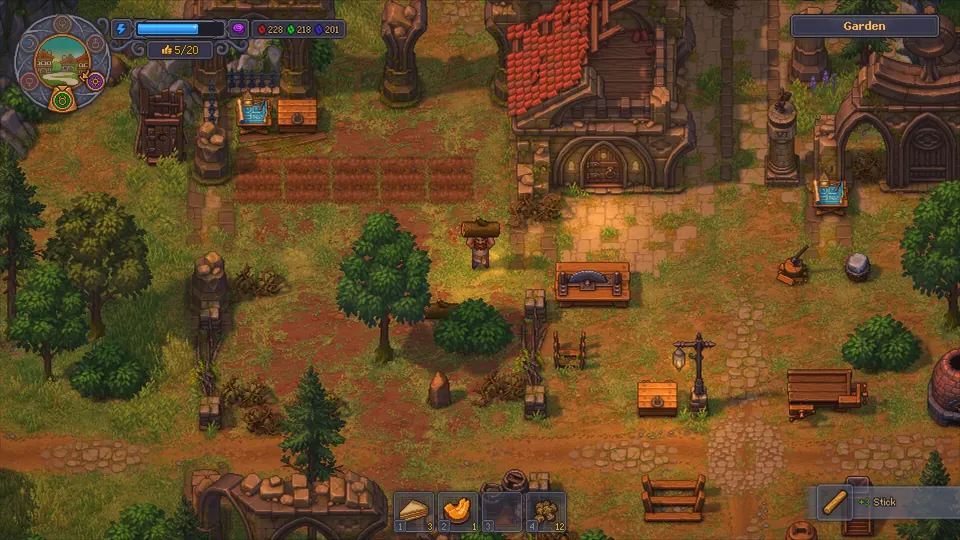
Update 1.011 adds moving objects in build mode. If you are reorganizing a crowded work area, check that option before dismantling a station. The patch notes do not specify the input for every device or promise a dismantling refund.
Source: Version 1.011 patch notes
Stations covered by the zombie assistant
Autocrafting needs the resources and the mastery required to start the task. Technology points arrive when the task finishes. The patch also makes the crafting queue display the total output.
| Area | Autocrafting stations named in 1.011 |
|---|---|
| Yard | Furnaces and Kiln |
| Home | Kitchen Oven |
| Garden | Compost Pile |
| Vineyard Basement | Cider and Wine production |
| Alchemy Lab | Distillation Cube |
Source: Autocrafting and queue changes
Set up one production task before filling a queue
This is a cautious setup method based on the new features, not a measured fastest-production layout. The notes do not publish a universal time or profit per item.
- Open one supported station and identify the item you actually need next.
- Compare its displayed ingredients and mastery requirement with your current resources and progress.
- Start a small task and check its queue entry. Use the total-output display to avoid ordering more than you intended.
- After it completes, check the output and technology-point change before expanding the queue.
- Only then rearrange nearby stations around the production route you use most.
Quarry delivery is a separate change
Quarry zombies now bring Stone and Marble to chests without an extra zombie assistant. Do not add an assistant to that delivery chain solely because the workshop autocrafting feature uses one.
Source: Quarry worker change
Two other checks for returning players
Controller players can use LB/RB to transfer ten items. Mod users now have an in-game enable/disable menu, and BepInEx ships with the game; the developer warns that older mods may need compatibility updates.
- When comparing a controller guide, check whether it predates 1.011.
- Before enabling an old mod, read its author’s version requirements. Change one mod at a time so an issue has a clear starting point.
- Keep a copy of important saves before changing a mod setup; this is a general precaution, not a promise that a backup will repair an incompatible save.
Source: Controller and mod changes
Continue with this game
Sources & scope
This article uses the official and individually identified community references linked below. It is not a hands-on review. Screenshots are credited to their original publishers; they are not evidence that we tested these steps. Game details can change after publication.
Sources checked: 16 Nov 2026. Read how we use sources and AI assistance.