Audit one missing bonus without buying it twice
Separate ownership, eligibility and story availability. Rockstar says Ultimate content appears across story chapters; that does not give a mission-by-mission unlock table. The expired digital launch promotion is a different entitlement. Our checklist keeps those questions apart so a missing icon does not immediately become a second purchase.
| Situation | Next check |
|---|---|
| Receipt names Standard only | Check whether an Ultimate upgrade was actually purchased. |
| Receipt includes Ultimate | Record the exact missing item and current story chapter. |
| Claim concerns Vintage Vice City | Check the original purchase date and product terms, not only the Ultimate label. |
| Still unclear | Send the item name and matching receipt through official support; keep unused codes private. |
Source: Official reference
November 21: the November 19 digital bonus deadline has passed
The previously listed digital purchase deadline was 11:59:59 PM local time on November 19. That offer is now historical. Do not buy an upgrade today assuming it restores eligibility for a time-limited purchase bonus. Check the current store listing and your original receipt; Ultimate Edition content and a purchase-deadline promotion are separate questions.
Source: Official reference
The decision in one table
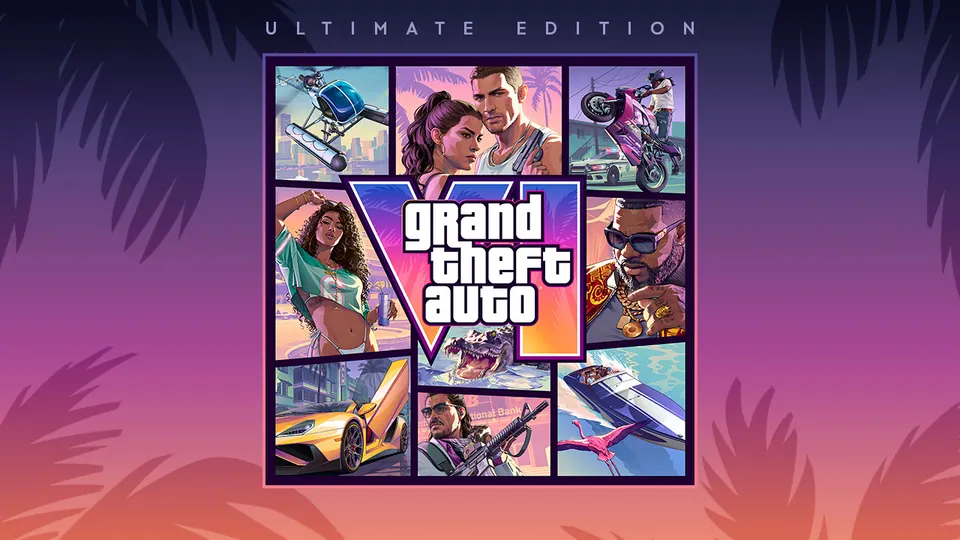
Rockstar’s edition FAQ identifies Standard as the base game and Ultimate as the game plus an upgrade containing extra items. It says Standard owners can buy the upgrade separately. The extras are distributed through the story rather than all appearing at the opening.
| Choice | What to check before buying |
|---|---|
| Standard | Whether the base game meets your budget and what you want to play. |
| Ultimate | The exact add-on list and price on your platform’s store. |
| Upgrade later | Ownership of the correct base game and the matching add-on listing. |
Source: Official reference
Compare the extra you actually want
The named extras include vehicles, weapon variants and style-related content. Pick the specific item that interests you and locate it in the platform listing. A long bundle description is not evidence that every extra will be immediately available.
Write a simple comparison before checkout: base price, upgrade price, total, and the one or two extras you value. Do not assume another region’s price, tax treatment or promotion applies to your account. This is a purchasing worksheet, not a value score based on hands-on testing.
Avoid treating a shop layout as an entitlement list
The Rockstar Store’s extracted comparison presents similar rows under both editions. We use the explicit support FAQ to distinguish the base game from the Ultimate upgrade; verify the actual basket description before paying.
Source: Official reference
If a bonus seems missing
Check which entitlement you bought, whether its installation or redemption finished, and whether the official description ties it to story progress. Record those three facts before sending a missing-content request. A preorder bonus and the paid Ultimate upgrade should not be treated as interchangeable purchases.
Continue with the next question
Sources & scope
This article uses the official and individually identified community references linked below. It is not a hands-on review. Screenshots are credited to their original publishers; they are not evidence that we tested these steps. Game details can change after publication.
Sources checked: 23 Nov 2026. Read how we use sources and AI assistance.