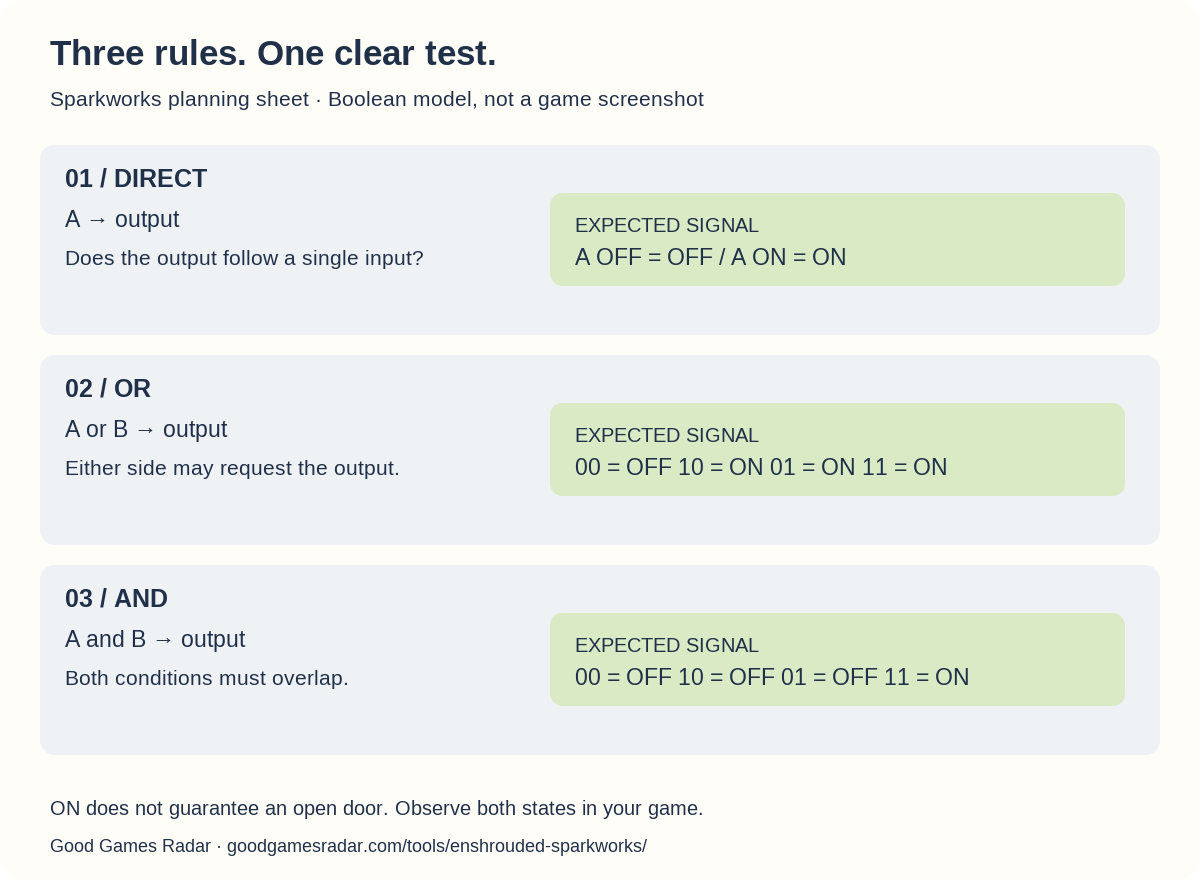
Change an input, follow the signal and compare every possible state. Take a diagram and test sheet back to your build.
What this model can tell you
These are standard Boolean examples for planning Sparkworks circuits. ON means a signal, not a guaranteed open door. This tool does not read the game, simulate timing or physics, or import graphs. Check the actual output behavior in your game.
01 / CHOOSE A RULE
Make the rule visible
Start here: does the output follow one input?
02 / FOLLOW THE SIGNAL
A · OFF
B · OFF
→
DIRECT
→
OUTPUT · OFF
Turn A on. In this model, the output will turn on too.
A
B
Expected output
Selection
OFF
Not used
OFF
Current
ON
Not used
ON
03 / APPLY THE RULE
Three small design exercises
01
One input, one door
Use a single persistent input as your baseline. The signal sequence is OFF → ON → OFF. Record which door position corresponds to each signal before adding any logic.
Pass condition: returning to the first input state restores the first observed output state.
For two independent presence signals, OR keeps the output ON while either input is ON. Check both sides separately, both together, then neither. An input that stays ON will keep this rule ON.
Design limit: verify your trigger volume, filter and signal behavior in-game; this model has no position detection.
AND outputs ON only for ON + ON. If a brief input ends before the second input starts, they never overlap. Run all four combinations before assuming the graph is broken.
Pass condition: OFF/OFF, ON/OFF and OFF/ON are OFF; only ON/ON is ON.
Keep the output and rule unchanged. Test one input on its own, then record what changes on entering, remaining inside and leaving. For a trigger area, inspect its placement and filter rather than adding another gate.
The browser result above is calculated. The fields below are your observations; we have not verified them. They stay in this open page and are not uploaded or saved automatically.
Published October 8, 2026, before 1.0. This is the developer’s demonstration, not a recording of our examples. Controls and interface details may differ from your installed build.
Source check · November 12, 2026: developer introduction and Patch 1.0.1.0; the community component reference is attributed separately.
Browser model: DIRECT, OR, AND and NOT are Boolean rules. No delays, pulses, memory nodes, spawning, physical collisions or game controls are simulated.
Game test: not completed. Blank test sheets are not proof of a working in-game build.
Reuse: you may share or adapt the original Good Games Radar diagrams with attribution and a link to this page. This permission does not cover Keen Games imagery or the video.