Building material shortages
One recipe at a time. Enter the effective cost per craft; no recipe or discount is assumed.
Read the new recipe before counting stock
The 1.0 release reworks recipes and crafting progression. Old spreadsheets can still perform correct arithmetic while using the wrong ingredients or yield. Begin with the recipe currently visible at the right workstation; if it is locked, note the requirement before collecting a large quantity.
Source: Official 1.0 crafting changes
Convert output into crafting batches
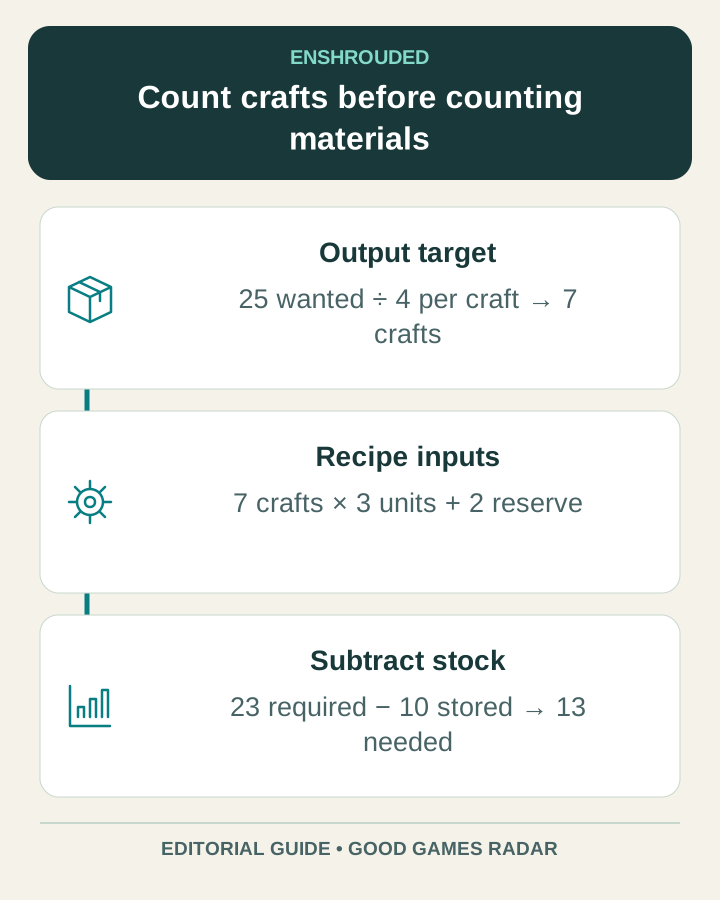
For a target quantity T and output Y per craft, required crafts = ceil(T ÷ Y). For each ingredient, shortage = max(0, crafts × ingredient cost + reserve − usable stock), rounded upward. The calculator above accepts crafts, not the final number of items. It handles one recipe and three ingredients at a time. It does not recursively expand a complete base blueprint.
| Illustrative input | Value |
|---|---|
| Wanted output | 25 units |
| Output per craft | 4 units |
| Required crafts | ceil(25 ÷ 4) = 7 |
| Ingredient per craft / stock / reserve | 3 / 10 / 2 |
| Shortage | 7 × 3 + 2 − 10 = 13 units |
A worksheet for a larger build
- Split the plan into individual recipes: structure pieces, furniture and required workstations.
- Copy each recipe’s current output yield and ingredient costs. Calculate batches first.
- Run the shortage calculation for each recipe, then combine repeated raw ingredients.
- Do not count the same stored stack twice. Reserve construction essentials before spending the remainder on decoration.
- Craft a small batch and compare the actual output with the worksheet before committing the whole stock.
When a number still looks wrong
Check whether the number on screen is per craft or per output item. Then check world settings, station requirements and whether some stock is unavailable to the recipe. Keep crafting time separate from material quantity: a shorter processing time does not automatically reduce input cost.
For factory projects, our Sparkworks guide separates the inputs, outputs and first-project checks. For save migration problems after 1.0, use the migration guide before changing the world files.
Continue with this game
Sources & scope
This article uses the official and individually identified community references linked below. It is not a hands-on review. Screenshots are credited to their original publishers; they are not evidence that we tested these steps. Game details can change after publication.
- Keen Games · 1.0 release changelog (14 Oct 2026)
- Keen Games · Hotfix 1.0.0.3 (21 Oct 2026)
Sources checked: 22 Oct 2026. Read how we use sources and AI assistance.