Prepare in the FOB before choosing a long route
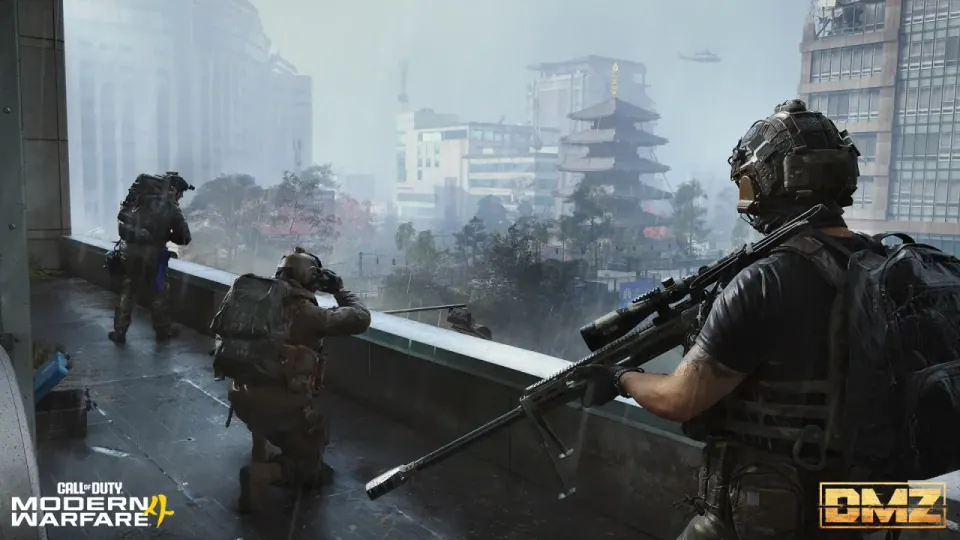
DMZ sends players into Hajin against AI enemies and other operators. The Forward Operating Base is the place to prepare between deployments. For a first run, choose one objective and decide what would make you leave early; adding every nearby activity makes it harder to tell whether the trip was successful.
Source: Official DMZ overview
Use three stations before deployment
Start at Operators to select a ready operator, inspect the active directive at DMZ Orders, then use Stash/Loadout to prepare equipment. After a successful extraction, offload items you want to keep before taking another trip.
| Stop | Your decision |
|---|---|
| Operators | Which available operator will you take? |
| DMZ Orders | Which single requirement is this trip intended to advance? |
| Stash/Loadout | Which items are needed now, and which should stay behind? |
Source: FOB stations and preparation
Unlock the next station deliberately
The October FOB guide places the 3D Printer at DMZ level 2, the Vendor at level 5, Gunsmith at level 10 and the Dog Tag Case at level 20. Boss Board access follows completion of the second DMZ Order. Gunsmith weapon availability also involves extracting Weapon Manuals; cash alone is not a substitute for every unlock.
Source: Official station unlock conditions
A short first-run worksheet
- Copy the active objective and its completion condition before deployment.
- Check the equipment available on the operator you actually selected.
- Agree on one fallback with the squad: what will make you abandon the objective and head out?
- During the trip, reassess after a serious loss of equipment, healing or route access.
- After returning, inspect the registered objective state and offload the items you intend to keep.
Plan extraction before the backpack becomes valuable
The overview describes both helicopter and skyhook extraction options. A failed extraction can leave an operator MIA; the FOB provides a cash-based recovery system. Those systems do not make every defeat cost-free, so use the current operator status and recovery screen to decide your next step.
Our suggested rule for a first session is to preserve a successful objective instead of immediately adding another. If the plan changes, say so clearly to the squad: a player moving toward an exit and a player starting a new fight are working toward different outcomes.
Source: Official extraction and recovery overview
Recheck tracking after the October 23 patch
Infinity Ward reports fixes for Lieutenant intel not updating tracked Orders, inconsistent FOB upgrade challenges and Bounty tracking. It also corrected the displayed requirement for a Dynamic Operation time challenge. Read the current objective text before repeating an older guide’s condition.
If an objective still fails to register, record the game version, active Order and result screen. A patch note describes the intended fix; it cannot establish that a particular account has already received credit.
Source: October 23 DMZ fixes
Keep the next upgrade tied to a real shortage
After the run, choose one problem to solve: access to a station, an unavailable weapon, missing equipment or an unfinished Order. This makes the next trip specific. It also avoids spending resources on an attractive upgrade that does not help the task currently blocking you.
Continue with this game
Sources & scope
This article uses the official and individually identified community references linked below. It is not a hands-on review. Screenshots are credited to their original publishers; they are not evidence that we tested these steps. Game details can change after publication.
- Activision · FOB guide (9 Oct 2026)
- Infinity Ward · launch patch notes (23 Oct 2026)
- Activision · DMZ overview (6 Jun 2026)
Sources checked: 24 Oct 2026. Read how we use sources and AI assistance.