Check the host's farm first
This checklist is for desktop Steam/GOG play. Work through the developer's setup checks before changing connection settings.
- Compare everyone's game version. From the title screen, select the question-mark button; the version appears at the lower left of the resulting screen.
- The host should load the farm through Co-op → Host.
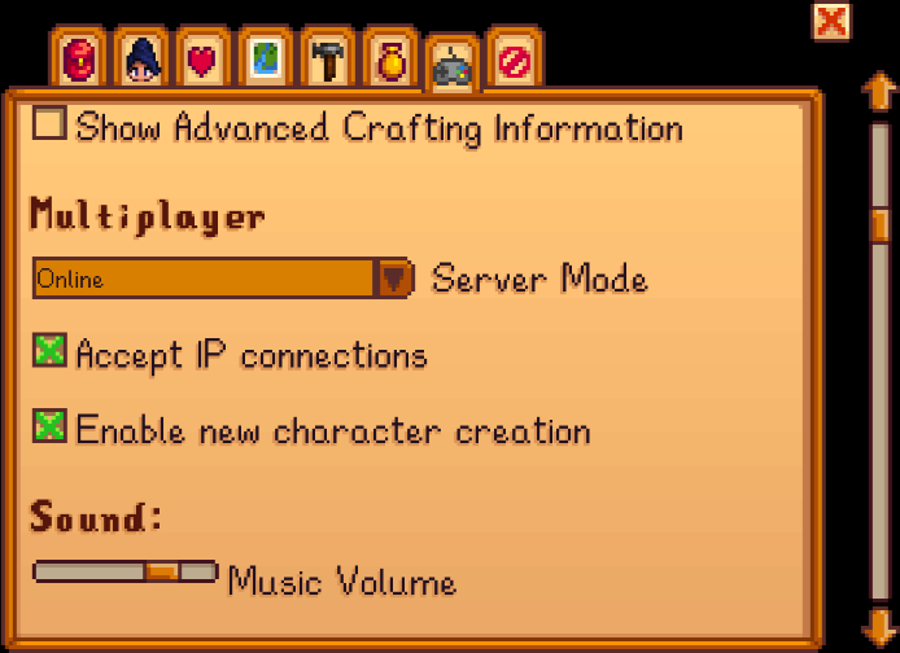
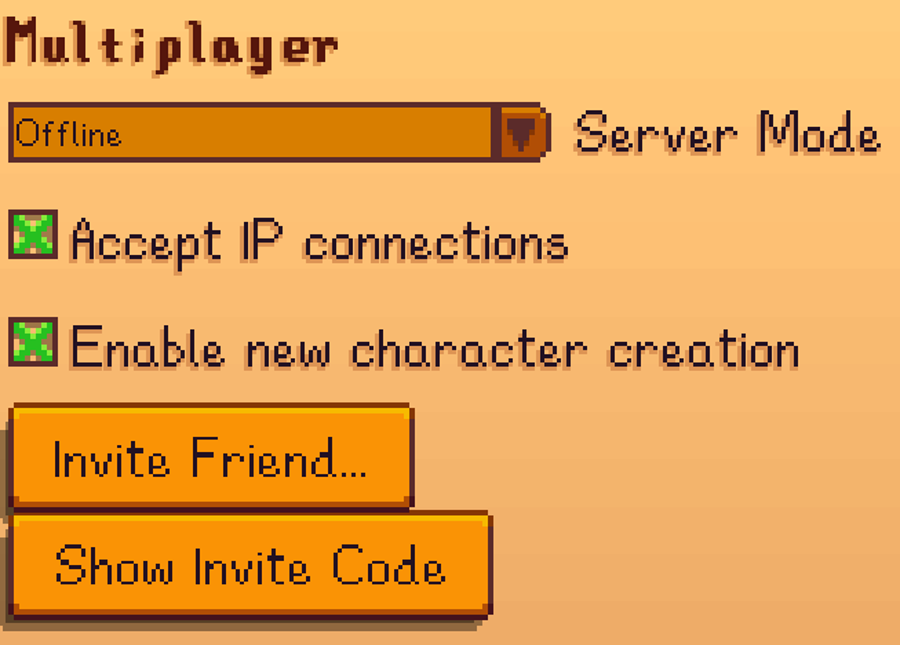
- In Options, look for Multiplayer above Sound and set Server Mode to Online. The developer notes that this setting does not exist on Switch.
- Check that each guest has an available cabin. Choose starting cabins for a new farm, or have Robin build cabins on an existing one within its supported capacity.
Source: Official multiplayer troubleshooting
If the invitation buttons are missing
Open Steam or GOG Galaxy, sign in, and launch the game through that client. The developer's general troubleshooting page identifies standalone launching as a reason that friend and invite-code options may be unavailable.
Source: Official general troubleshooting
Test one change at a time
Editorial suggestion: ask one guest to try after each correction. Record whether everyone is affected or only one person, along with the host platform, each version number and the exact error. That gives the next troubleshooting step something concrete to work from.
Mobile players should use the separate official mobile multiplayer guide. Its experimental setup uses a different connection process; the desktop invitation checklist above is not a mobile walkthrough.
Source: Official mobile multiplayer guide
Sources & scope
This article summarizes the official material linked below. It is not a hands-on review. Screenshots are credited to their original publishers; they are not evidence that we tested these steps. Game details can change after publication.
- ConcernedApe · multiplayer troubleshooting
- ConcernedApe · general troubleshooting
- ConcernedApe · mobile multiplayer guide
Sources checked: 19 Oct 2026. Read how we use sources and AI assistance.