Use Gearbox’s reward destination
The official SHiFT reward page is the destination for account-based redemption. Check that a campaign explicitly includes Borderlands 4 and the platform you use. Codes for an earlier Borderlands game are not automatically valid for the fourth game.
Source: Gearbox Support · Hazard Pay reward requirements
Before submitting a code
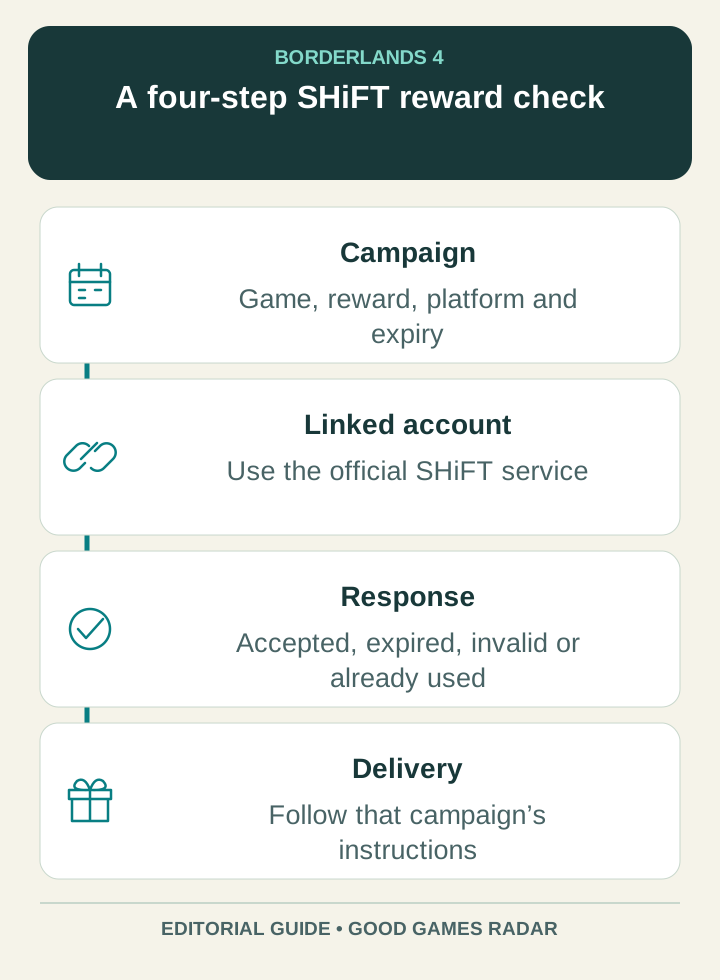
- Find the original developer campaign notice and record the reward, eligible game and expiry.
- Sign in to your own SHiFT account through the official service. Confirm the intended platform account is linked.
- Enter the code exactly and read the response. Distinguish accepted, already redeemed, expired and invalid results.
- If accepted, check the campaign’s delivery instructions in-game. Keep the confirmation and the original campaign link if you need support.
An account reward may not be a code
Gearbox’s Hazard Pay support page describes a specific account and launch-login reward. That is a campaign example, not evidence that a new universal code is active today. Twitch campaigns have their own account-linking and viewing requirements. Do not substitute one campaign’s rules for another.
Current-code status
No freshly redeemed Borderlands 4 code is asserted on this page. We provide the official redemption entry and the checks needed to evaluate a current announcement. We do not label an old social post as “working today” merely because its code still appears in search.
Source: Gearbox · SHiFT reward redemption · Gearbox Support · Hazard Pay reward requirements
Continue with this game
Sources & scope
This article uses the official and individually identified community references linked below. It is not a hands-on review. Screenshots are credited to their original publishers; they are not evidence that we tested these steps. Game details can change after publication.
Sources checked: 21 Oct 2026. Read how we use sources and AI assistance.