
Plan one production stage
Enter your recipe’s displayed output per minute at 100% clock speed. This is a single-stage rate calculation, not a saved factory simulation.
Define the output in units per minute
Start with the quantity the next stage needs each minute. An inventory total answers how much you have; a production rate answers whether the line can keep supplying it. Write the item, desired rate, recipe and intended clock speed before comparing layouts.
SCIM lists a production planner alongside its map. Its public directory was available during this check; the production route itself could not be fully inspected. The calculator on this page works independently using values you enter, with no imported recipe database.
Source: SCIM tool directory · Open SCIM production planner
Calculate one stage at a time
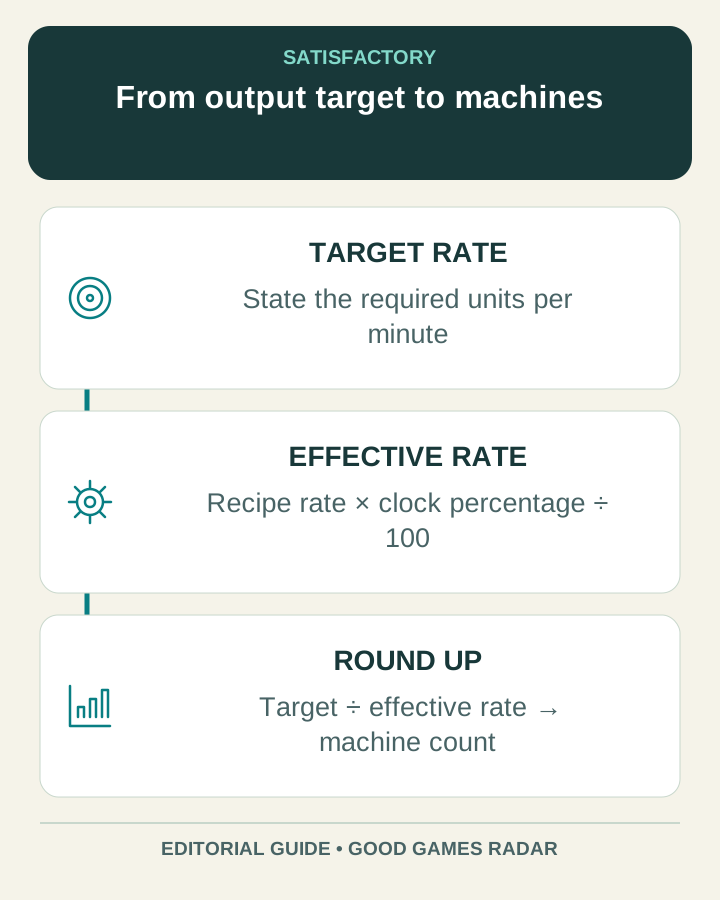
Effective output per machine = recipe output at 100% × clock percentage ÷ 100. Required machines = round upward(target ÷ effective output). Capacity is the machine count multiplied by effective output; spare capacity is that capacity minus the target.
The worksheet assumes continuous operation with the stated recipe and clock speed. It does not calculate power consumption, recipe unlocks, shared inputs, belt or pipe limits, or the effects of a machine waiting for resources.
Read the example as arithmetic
| Illustrative input | Result |
|---|---|
| Target: 60 per minute; one machine: 45 per minute; clock: 100% | Two machines provide capacity for 90 per minute; 30 is spare capacity. |
| Same target and recipe; clock: 50% | Each machine provides 22.5 per minute. Three provide 67.5, leaving 7.5 spare. |
| Target: zero | No machines are needed for this stage. |
Carry inputs upstream without counting them twice
For each ingredient, determine the rate needed by the planned output. If two stages share an ingredient, combine their demand before comparing it with the source’s supply. Then repeat the calculation upstream until each required input has a plausible source.
Keep a small table with item, required rate, available rate and the connection that carries it. The first shortage tells you where to investigate. Adding another final-stage machine cannot fix a missing upstream ingredient.
Check transport and power after the arithmetic
A rate calculation describes potential output. Walk through the actual line and check whether machines receive material, run continuously and move finished output onward. Distinguish a full output buffer from an empty input buffer before changing the recipe or machine count.
Change one constraint, let the line settle and compare its sustained behavior with the plan. If a larger external planner proposes an unexpected layout, inspect its recipe choices and resource assumptions before rebuilding a working factory.
Keep the map and the production plan connected
Use the map to inspect where the necessary sources and connections are located, and the rate plan to explain how much must travel between them. Version both notes when changing your game branch or recipe selection.
Continue with this game
Sources & scope
This article uses the official and individually identified community references linked below. It is not a hands-on review. Screenshots are credited to their original publishers; they are not evidence that we tested these steps. Game details can change after publication.
Sources checked: 23 Oct 2026. Read how we use sources and AI assistance.