The checked map is labeled Stable 1.2
SCIM’s current map displays Stable (1.2), while its homepage identifies data build 492,064. A guide labeled 1.0 is therefore not a sufficient compatibility check. Compare the selected branch with the save you intend to inspect.
Start by opening the map without a save. Its layers already let you ask a focused question, such as where a resource category is located. You may not need editing at all for the task in front of you.
Source: Map branch selector · Homepage data build label
Use one layer and one goal
The visible interface includes resource nodes, wells, collectibles and building-related categories, plus altitude filtering. Reduce the number of visible categories before planning a route; a crowded map can obscure the thing you came to find.
Write the goal in a sentence: find an additional input near this factory, inspect a transport connection, or locate a collectible category. Compare that goal with the game’s own state before assuming an unmarked or hidden object is absent.
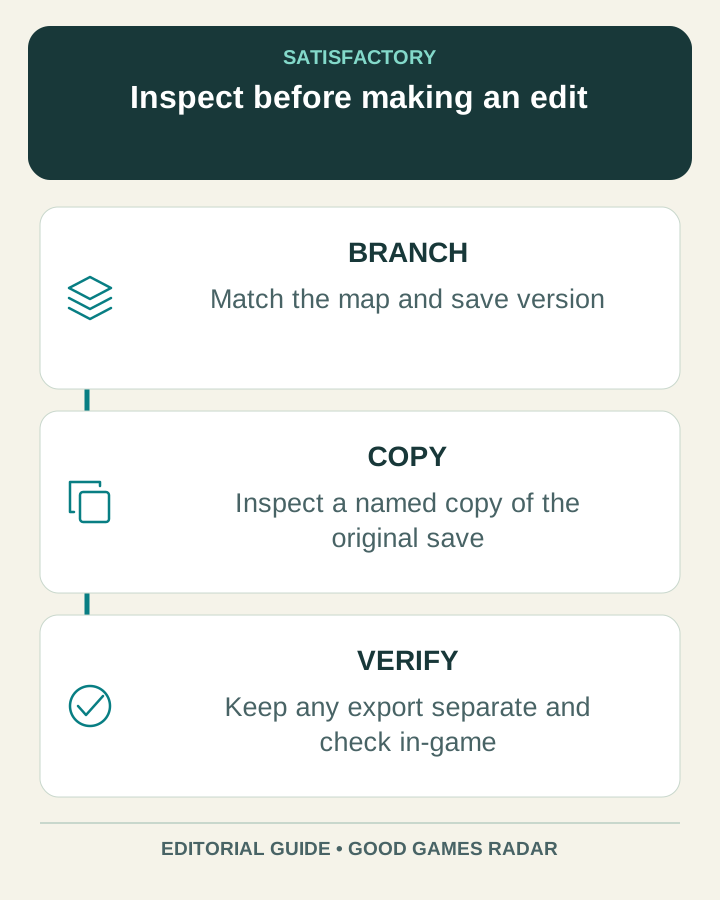
Inspect a copy of a save
For save inspection, create a clearly named copy first and note its game branch and timestamp. The map provides a save-file drop area and sections for player information, structures, power and transportation. This review checked those controls, without uploading a personal save or validating an edited world.
Choose one section to inspect and record the observation you need. Keep viewing information separate from applying a world change. If a result looks inconsistent, return to the unmodified copy and check compatibility before making further edits.
Source: Save input and inspection sections
Keep an exported edit recognizable
SCIM’s download dialog says it appends _CALCULATOR to an exported save filename. Preserve that distinction and retain the original. An export being available does not establish that your game has successfully loaded the file.
If you choose to edit, make one small, understandable change, download the result and test it in the game before replacing a working setup. Keep the original until you have verified the world, the intended change and any nearby systems you care about.
Source: Export dialog and filename behavior
A compact review note
- Record game branch, save timestamp and the question to answer.
- Start with map filters; load a copy only if save-specific information is needed.
- Inspect one category and write down what it shows.
- If editing is necessary, record exactly one intended change.
- Keep the original and check any exported result in the game.
Use production planning for a rate problem
If your question is how much a factory must produce, begin with the target rate and recipe assumptions. A map location alone cannot tell you whether inputs, power and transport will sustain that rate.
Continue with this game
Sources & scope
This article uses the official and individually identified community references linked below. It is not a hands-on review. Screenshots are credited to their original publishers; they are not evidence that we tested these steps. Game details can change after publication.
Sources checked: 23 Oct 2026. Read how we use sources and AI assistance.