Start with an eligible Record
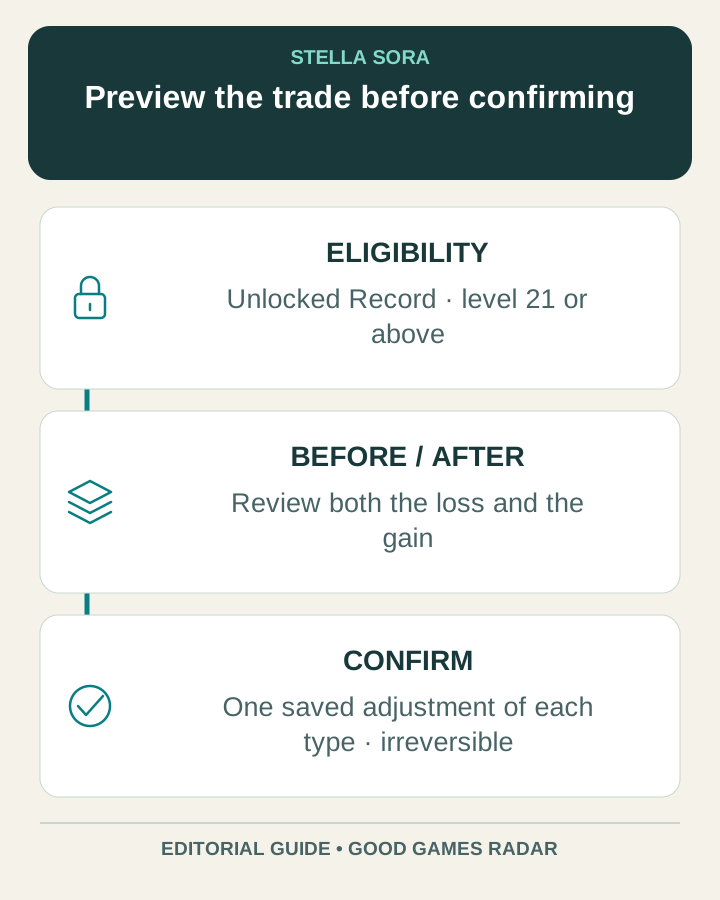
Version 2.0 adds adjustment for unlocked Records at level 21 or above. Each Record permits one Potential adjustment and one Note adjustment. Confirming saves the change permanently: the announcement says it cannot be reverted and the consumed item is not refunded.
Source: Official adjustment rules
Potential Adjustment moves acquired levels
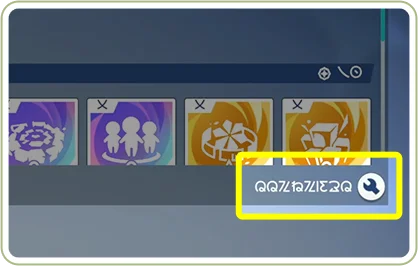
From Record Details, enter the adjustment control at the bottom-right of the Potentials screen. Lowering an acquired Common Potential frees levels for another non-maxed Common Potential in that Record. Common Potentials cannot fall below level 1; Core and unacquired Potentials are excluded. The unassigned pool is capped at five. Confirming consumes one Vintage Reserve.
Source: Potential eligibility and limits
Note Adjustment changes the elemental mix
The corresponding control is at the bottom-right of the Disc Skills interface. Notes can be redistributed with up to 15 unassigned at once; an individual count must stay between 0 and 99. Linked Harmony Skills change level with the allocation. Saving consumes one Resonant Chorus.
Source: Note limits and Harmony Skills
Preview the loss as carefully as the gain
Before moving a level, identify what the current allocation does for the Record. Increasing a desired effect is only half of the decision: the effect you reduce may support a different part of the setup. The one-time confirmation makes a written before-and-after comparison worthwhile.
| Check | Before confirming |
|---|---|
| Purpose | Name the effect you want to improve. |
| What gives up levels? | Read the effect that becomes weaker. |
| What receives levels? | Check eligibility and the resulting displayed level. |
| Linked effects | Review changes to Harmony Skills when moving Notes. |
| Cost and finality | Confirm the required item and that this saved adjustment cannot be reversed. |
A simple allocation example
Suppose an eligible Common Potential is level 3 and another acquired, non-maxed Common Potential is level 2. Moving one level produces levels 2 and 3. That preserves the total; it does not create an additional level. This is an arithmetic example, not a recommendation for a particular Trekker.
Review the complete preview and your intended team before selecting Confirm. If the result is unclear, leave the change unconfirmed and compare the skill descriptions first. We have not tested a damage ranking or an optimal allocation for your account.
Where to check materials
The official overview lists activities and shops for Vintage Reserve and Resonant Chorus, including Through Hostile Depths and Menace Arena. Check the current activity and shop screens for eligibility, inventory and costs rather than assuming that a listed source guarantees an immediate drop.
Source: Material sources in the official overview
Continue with this game
Sources & scope
This article uses the official and individually identified community references linked below. It is not a hands-on review. Screenshots are credited to their original publishers; they are not evidence that we tested these steps. Game details can change after publication.
- Yostar · version 2.0 Record Adjustment rules (19 Oct 2026)
- Yostar · version 2.0 live notice (20 Oct 2026)
Sources checked: 22 Oct 2026. Read how we use sources and AI assistance.